

Percentage Change Calculator
Enter the initial and final values to get the % change. Results update automatically as you type.
People used this calculator
Your current platform: —
Global counter (server-side).
Percent Change Calculator: Increase or Decrease in Seconds
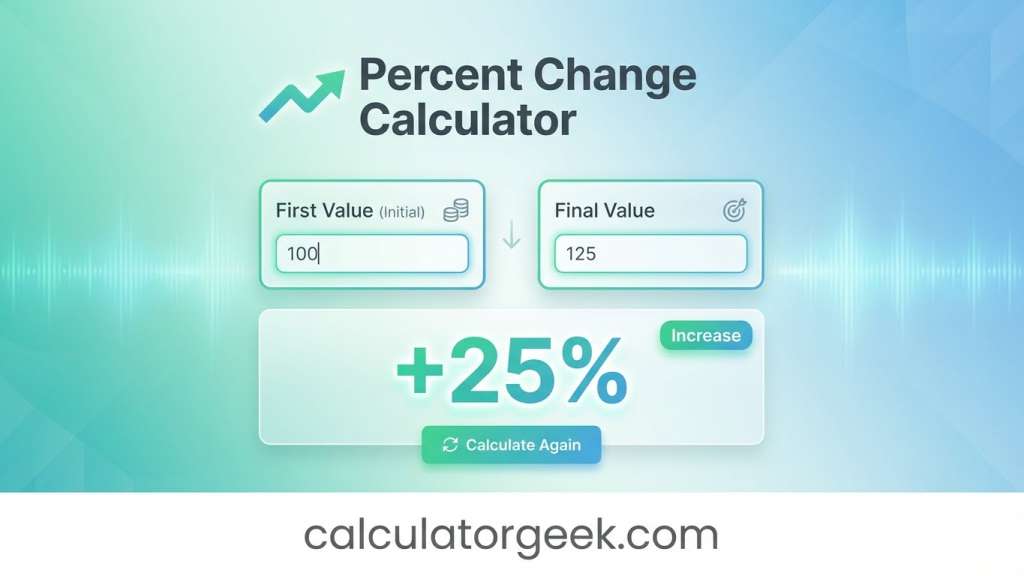
A Percent Change Calculator helps you measure how much a value has gone up or down compared to where it started. By entering an old value and a new value, you instantly get the percentage change and clearly see whether the result is an increase or a decrease—without manual formulas or sign confusion.
Use a Percent Change Calculator when you have a clear old value and a new value and want to measure the increase or decrease relative to the original starting point.
Key Takeaways
- A Percent Change Calculator measures change relative to the old value (the base).
- Positive results mean increase; negative results mean decrease.
- The same formula covers both percentage increase calculator and percent decrease calculator needs.
- Small starting values can inflate percentages—report the raw change too.
- If the old value is zero, percent change is undefined (you’ll need another approach).
Quick Answer
Percent change = ((New − Old) ÷ Old) × 100% (positive = increase, negative = decrease).
Typical Use Cases
- Prices & discounts: check if a sale price is really a 20% drop or something else.
- Performance tracking: compare test scores, output, speed, or productivity from one period to the next.
- Business & analytics: measure growth/decline in traffic, conversions, revenue, or signups.
- Inventory & operations: see how stock levels changed after restocking or sales.
- Population and growth-style changes: summarize a growth rate of the population from one year to another (when you have a clear baseline).
- Quick comparisons for reporting: convert differences into a clean percentage value people understand.
Micro Q&A (voice-friendly)
Q: “Hey Google, when should I use a percent change calculator?”
A: Use it when you have a clear old value and new value and want the increase or decrease relative to the old value.
How This Page Is Different
This Percent Change Calculator focuses on direction and interpretation, not just the formula. It helps you decide when percent change is the right metric (and when it isn’t), shows how to avoid wrong-base errors, and gives reporting-ready guidance so your result is accurate, meaningful, and easy to explain.
What you’ll get here (beyond a number):
- A clear increase or decrease label (so you don’t misread the sign).
- Guidance on percent change vs percent difference so you pick the right method.
- “Small baseline” warnings (when a tiny old value makes the % look extreme).
- Practical templates for reporting results in plain English.
Percent Change Calculator: Quick Explanation
A Percent Change Calculator shows how much a value has increased or decreased compared to its original amount, expressed as a percentage. It’s ideal for understanding growth or decline in prices, quantities, scores, traffic, or any clear before-and-after comparison—while avoiding manual calculations and sign errors.
Direct answer: It compares the difference between two values to the old value (the base) and reports both the percentage and the direction.
Percent Change Calculator: What It Does
A Percent Change Calculator answers one core question:
“How big is the change compared to where I started?”
It takes an old value and a new value, then reports:
- the difference (New − Old),
- the percent change (difference relative to the old value), and
- whether the result is an increase or a decrease.
A Percent Change Calculator works for both increases and decreases using the same inputs and one formula, so you don’t need separate tools for rising or falling values.
That’s why a Percent Change Calculator is so common in “before vs after” situations. It doesn’t just show the gap between two numbers—it shows how meaningful that gap is relative to the starting point, which makes the result easier to compare, explain, and report.
Percent Change Definition
Percent change is the amount something changed divided by what it used to be, expressed as a percentage. In simple terms, it tells you how large the change is relative to the starting value.
- If New > Old, the result is a percentage increase.
- If New < Old, the result is a percentage decrease.
When people search “how to find percent change” or “how to calculate percentage change,” this is usually what they mean: a straightforward old-to-new comparison where the old value is the base.
Why this matters: Using the old value as the denominator is what makes this a Percent Change Calculator—not just a difference calculator.
Inputs & Outputs (What You Enter, What You Get)
A Percent Change Calculator is only as clear as its inputs and outputs. Here’s exactly what you enter and what the calculator returns—using consistent, report-ready labels.
Inputs & Outputs Table — Percent Change Calculator
| Field | Type | What it means | Example |
|---|---|---|---|
| Old Value | Input | Starting value (the base) | 80 |
| New Value | Input | Ending value (after change) | 120 |
| Difference | Output | New − Old (raw change) | 40 |
| Percent Change | Output | Change relative to Old | +50% |
| Direction | Output | Increase or decrease | Increase |
Quick clarity tip: The old value is always the denominator. That’s what makes this a Percent Change Calculator, not just a simple difference calculation.
How Do I Calculate the Percent Change?
To calculate percent change, you compare the difference between two values to the original (old) value. This ensures the change is measured relative to where you started.
Step-by-step method:
- Subtract the old value from the new value.
- Divide the result by the old value (the base).
- Multiply by 100 to convert it into a percentage.
Why this works: Percent change is defined by the starting point. Using the old value as the denominator is what keeps the result consistent and comparable.
Percent Change Calculator Formula and Logic
This section shows the math behind the scenes in a clean, tool-first way—so you know exactly what the Percent Change Calculator is doing with your inputs.
Percent Change Calculator Formula
Percent Change=OldNew−Old×100
This single formula powers both percentage increase calculator and percent decrease calculator use cases.
How to Calculate Percentage Increase or Decrease (Same Steps)
- Compute the difference: New − Old
- Divide by the base: Old value
- Multiply by 100: Convert to percent
Increase or Decrease Rule
- If the percent change is positive, it’s a percentage increase.
- If the percent change is negative, it’s a percentage decrease.
One-line check:
If the new value is higher than the old value, your percent change should not be negative.
For a simple background definition of percentage change, see this overview (single contextual source):
https://en.wikipedia.org/wiki/Percentage_change
How to Use the Percent Change Calculator on CalculatorGeek
Use this simple workflow to get a clear, direction-aware result in seconds—without manual math or sign mistakes.
Step-by-step:
- Enter your Old Value (the “before” number).
- Enter your New Value (the “after” number).
- Confirm both values use the same unit (same currency, size, or measurement).
- Read the Percent Change output (it may show a + or − sign).
- Check the Direction label to confirm increase or decrease.
- If the old value is small, review the over-time and limitations notes before using the result in decisions.
You don’t need to convert anything manually—the Percent Change Calculator automatically converts the result into a percentage value and clearly labels it as an increase or decrease.
Pro tip: Say the comparison out loud—“it started at ___ and ended at ___.” This prevents swapped-input errors and keeps your Percent Change Calculator results reliable.
Real Situations and Worked Examples
Below are worked examples that mirror common searches like “what is the percent of change from X to Y” and everyday reporting needs. Each example uses the same Percent Change Calculator logic, with clear direction.
Example 1: What is the percent of change from 6 to 9?
- Old = 6
- New = 9
- Difference = 9 − 6 = 3
- Percent change = (3 ÷ 6) × 100 = 50%
Answer: 50% increase.
This is exactly what a Percent Change Calculator should return, with direction included.
Example 2: What is the percent of change from 5 to 9?
- Old = 5
- New = 9
- Difference = 4
- Percent change = (4 ÷ 5) × 100 = 80%
Answer: 80% increase.
This shows the increase relative to the first value, not the final value.
Example 3: What is the percent of change from 80 to 120?
- Old = 80
- New = 120
- Difference = 40
- Percent change = (40 ÷ 80) × 100 = 50%
Answer: 50% increase.
A classic percentage change calculator sanity-check example.
Example 4: Simple decrease (same formula, negative result)
- Old = 120
- New = 90
- Difference = −30
- Percent change = (−30 ÷ 120) × 100 = −25%
Answer: 25% decrease.
The same formula handles increase or decrease automatically.
Example 5: Discounts vs percent change (avoid the wrong base)
- Original price = 200
- Sale price = 150
Percent change = (150 − 200) ÷ 200 × 100 = −25%
Answer: 25% decrease.
This supports common calculating discounts use cases without switching formulas.
Example 6: Whole numbers vs decimals (both work)
- Old = 2.5
- New = 3.0
- Difference = 0.5
- Percent change = (0.5 ÷ 2.5) × 100 = 20%
Key point: Percent change works for whole numbers and decimals as long as units are consistent.
Percent Change With Negative Numbers (How to Interpret It)
Percent change still works with negative numbers, but interpretation matters because the starting value (base) is negative.
Worked Example (Negative Baseline)
- Old value = −50
- New value = −25
−50−25−(−50)×100=−50%
Result: −50%
When negative numbers are involved, the calculator still follows the same logic, but interpretation becomes more important because a negative starting value can flip the sign of the percent change even if the value moved closer to zero.
Even though the value moved closer to zero, the percent change is negative because the base is negative. This is mathematically correct—but it can feel counterintuitive.
Best Practices for Negative Values
- Clearly explain what negative values represent in your context.
- Report the raw difference alongside the percentage.
- Avoid percent change if it creates confusion for your audience; consider alternative summaries.
Rule of thumb: When negative baselines are involved, treat the Percent Change Calculator result as a math output first, then interpret it carefully in words.
Percent Change vs Percent Difference (Which One Is Right?)
This is one of the most common points of confusion—and choosing the wrong one can flip your conclusion.
Direct answer:
- Use percent change when there is a clear before → after sequence.
- Use percent difference when you’re comparing two values side by side with no true starting point.
How they differ (plain rules)
- Percent change uses the old value as the base.
- Percent difference treats both values more evenly (often using an average-like denominator).
Percent change is best for before-and-after comparisons, while percent difference is more appropriate when neither value is clearly the starting point and you want a symmetric comparison.
If you’re asking, “How do I calculate the percentage difference between two amounts?” and neither value is clearly “before,” percent difference is usually the better fit.
When to choose percent change
Use a Percent Change Calculator when:
- There’s a timeline (old happened before new).
- The old value is the correct reference point (original price, baseline budget, starting count).
- You want a direction-aware result (increase or decrease).
When to choose percent difference
Use percent difference when:
- You’re comparing two measurements (A vs B) without a clear start.
- You want a fair, symmetric comparison between two values.
Percent Change Over Time (Weekly, Monthly, Yearly)
A Percent Change Calculator is commonly used to compare values across time—as long as your old value truly represents the earlier period.
For time-based comparisons like weekly, monthly, or yearly tracking, percent change works reliably as long as the earlier period is consistently treated as the old value.
Direct answer: Define the earlier period as old and the later period as new, then apply the same percent change formula.
Percent Change Calculator for Time-Based Tracking
When tracking over time, always define:
- what period is old (last week, last month, last year), and
- what period is new (this week, this month, this year).
This keeps results consistent and avoids misleading comparisons.
Annual Percent Change Calculator (Typical Use)
An annual percent change usually means year-over-year change.
Example:
- Old (2024) = 10,000
- New (2025) = 11,500
Percent change = (11,500 − 10,000) ÷ 10,000 × 100 = 15%
Result: 15% annual percent change.
Population and Growth-Style Notes
In some contexts, percent change is described as a growth rate (for example, population growth rate). The math can look similar because both measure change relative to a base, but growth-rate reporting may include time normalization and domain-specific definitions.
Percent change and growth rate often look similar mathematically, but growth rate usually includes time-based assumptions, while percent change strictly compares an old value to a new value without normalization.
Results Interpretation and What to Do Next
A Percent Change Calculator result is most useful when you interpret it in three clear steps—then decide how to report or act on it.
Results generated using CalculatorGeek’s verified calculation logic.
Step 1: Direction (Increase or Decrease)
- Positive % → the value increased from the old value.
- Negative % → the value decreased from the old value.
Always pair the number with its direction to avoid misreading the sign.
Step 2: Magnitude (How Big the Change Is)
- A larger absolute percentage means a bigger change relative to the start.
- Small old values can produce large percentages—that doesn’t always mean large impact.
If the percent change looks unusually large, it’s often because the old value was small, which can inflate percentages even when the raw change is modest.
Step 3: Decision Meaning (Is Percent the Right Summary?)
Ask one quick question:
Does this percentage fairly represent what changed?
- If the old value was small, report the raw difference too.
- If there’s no clear baseline, consider percent difference instead.
- If this is time-based, clearly state the period used as the base.
Practical Interpretation Templates
Use these ready-to-copy phrases:
- Positive: “Up X% from the old value.”
- Negative: “Down X% from the old value.”
- Small change: “Changed by about X% compared to the starting value.”
What to Do Next
- Double-check that the old value is the correct reference.
- Keep units consistent and state the baseline in reports.
- For summaries, pair percent change with context (time period, raw change).
Percent change results are easiest to understand when they’re reported with both direction and context, such as stating that a value increased or decreased by a certain percentage relative to the old value.
Helpful Tables for Faster Checking
Tables help you verify results quickly, catch wrong-base errors, and explain outcomes to others without redoing the math.
Table 1: Percent Change Calculator — Quick Examples
| Old | New | Difference | Percent Change | Increase/Decrease |
|---|---|---|---|---|
| 6 | 9 | +3 | +50% | Increase |
| 5 | 9 | +4 | +80% | Increase |
| 80 | 120 | +40 | +50% | Increase |
| 100 | 80 | −20 | −20% | Decrease |
| 200 | 150 | −50 | −25% | Decrease |
| 50 | 60 | +10 | +20% | Increase |
| 40 | 30 | −10 | −25% | Decrease |
| 12,000 | 15,600 | +3,600 | +30% | Increase |
Why this helps: You can sanity-check your Percent Change Calculator result by matching patterns (direction + magnitude).
Table 2: What to Report Based on the Situation
| Situation | What it means | What to say | Best next step |
|---|---|---|---|
| Positive % | New > Old | “Up X% from old” | Confirm old is the correct base |
| Negative % | New < Old | “Down X% from old” | Keep the direction explicit |
| Near 0% | Small movement | “Changed by ~X%” | Add raw difference |
| Huge % (small old) | Sensitive baseline | “Up X% from a small base” | Report units too |
| Old = 0 | Undefined | “Increased by X units” | Use difference, not percent |
| Negative baseline | Base is negative | “Changed by X% (base negative)” | Clarify meaning |
Common Mistakes and Quick Fixes
Most percent-change errors come from base confusion, sign confusion, or inconsistent units. Here are the fastest fixes that make your Percent Change Calculator results trustworthy.
- Using the wrong base (dividing by new instead of old)
Fix: For percent change, always divide by the old value. - Swapping old and new values
Fix: Say it aloud: “Started at Old, ended at New.” Then enter in that order. - Forgetting to state direction
Fix: Report “increased by X%” or “decreased by X%,” not just the number. - Mixing units (currency sizes, weight units, time units)
Fix: Convert first so both inputs use the same unit size. - Expecting a percent change when Old = 0
Fix: Percent change is undefined from zero; report the raw change instead. - Treating a huge percent as automatically “huge impact”
Fix: If the old value is small, include the difference in units to add context. - Using percent change for side-by-side comparisons
Fix: If there’s no “before,” switch to percent difference for a fair comparison. - Rounding too early
Fix: Keep full precision during calculation and round only for the final display/report.
When to Trust This Calculator
Use this Percent Change Calculator with confidence when the situation meets these conditions. This checklist helps you decide whether percent change is the right summary metric.
You can trust the result when:
- You have a clear “before” (old) and “after” (new) value.
- The old value is not zero, so the calculation is defined.
- Both inputs use the same unit (currency, quantity, measurement).
- You need a direction-aware answer (increase or decrease).
- You’re doing time-based comparisons with a defined period (week-to-week, year-to-year).
- You’re willing to report the raw difference when the baseline is small.
Rule of thumb: If you can clearly explain why the old value is the reference, the Percent Change Calculator is appropriate.
Limitations & Disclaimer
Percent change is a powerful summary metric, but it has important limits you should understand before relying on the result.
- Old value = 0: Percent change is undefined because division by zero isn’t possible.
Percent change cannot be calculated when the old value is zero, so in those cases it’s better to report the raw difference or use a different metric altogether.
- Small old values: A tiny baseline can inflate the percentage even when the raw change is small.
- Negative baselines: Results can be mathematically correct but confusing without context.
- No true “before”: If there’s no clear starting point, percent difference may be more appropriate.
CalculatorGeek tools are designed for fast estimation and planning. Always confirm measurements and requirements before purchasing materials or making final decisions.
Ad & Content Safety Note
This Percent Change Calculator provides general calculation guidance for planning, comparison, and education. Results depend entirely on your inputs and how you define old versus new. For compliance-critical reporting or formal analysis, confirm definitions, baselines, and rounding rules with your required standard.
Accuracy & Editorial Standards
This page is written to be practical and reliable: clear definitions, consistent field naming, and examples that match real user questions about percent change. The Percent Change Calculator is presented with a focus on clarity, fast loading, and mobile readability so users can calculate, verify, and interpret results without confusion.
Our editorial approach prioritizes:
- Consistent terminology for inputs and outputs
- Step-by-step logic that mirrors how the calculator works
- Human-readable explanations that reduce common mistakes
Author Bio
Liam Parker
Role: MSc Mathematics
Liam Parker specializes in percentage-based analysis, mathematical modeling, and user-friendly explanations for practical decision-making tools. His work focuses on helping users avoid common percent errors—such as using the wrong base value, misreading direction, or over-interpreting large percentages from small baselines—so results are accurate, clear, and easy to report.
Related Calculators
Percentage Decrease Calculator – Focus on downward changes and reductions.
FAQs
What is a Percent Change Calculator?
A Percent Change Calculator compares an old value to a new value and shows how much it increased or decreased relative to the old value.
Hey Google, how do I calculate percentage increase or decrease?
Subtract the old value from the new value, divide by the old value, then multiply by 100. A positive result means increase; a negative result means decrease.
Is a Percent Change Calculator the same as a percentage increase calculator?
A percentage increase calculator is a special case of a Percent Change Calculator when the result is positive. The same formula handles both.
What is the percent of change from 6 to 9?
Old = 6, New = 9. The difference is 3.
3 ÷ 6 × 100 = 50% increase.
What is the percent of change from 5 to 9?
Old = 5, New = 9. The difference is 4.
4 ÷ 5 × 100 = 80% increase.
What is the percent of change from 80 to 120?
Old = 80, New = 120. The difference is 40.
40 ÷ 80 × 100 = 50% increase.
Does the Percent Change Calculator work for decreases too?
Yes. If the new value is smaller than the old value, the calculator returns a negative percent, which represents a decrease.
Can I use a Percent Change Calculator over time?
Yes. Use the earlier time period as the old value and the later period as the new value for weekly, monthly, or yearly comparisons.
Why does percent change look huge when the starting value is small?
Because the old value is the base. Small baselines can inflate percentages, so it’s best to report the raw difference too.
When should I not use a Percent Change Calculator?
If the old value is zero or there is no clear “before” value, percent change isn’t appropriate. In those cases, use raw difference or percent difference instead.